Getting Started
This guide shows you how to access the formal complaint form from your dashboard.
Access the Formal Complaint Form
-
Log in as a Tier 1 or Tier 2 user.
-
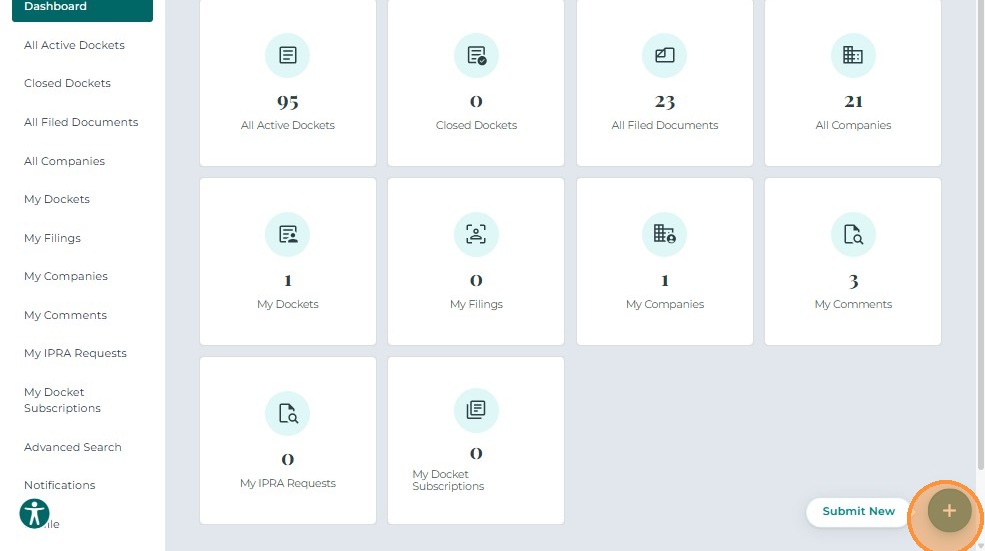
From the Dashboard, click the Submit New button.
-
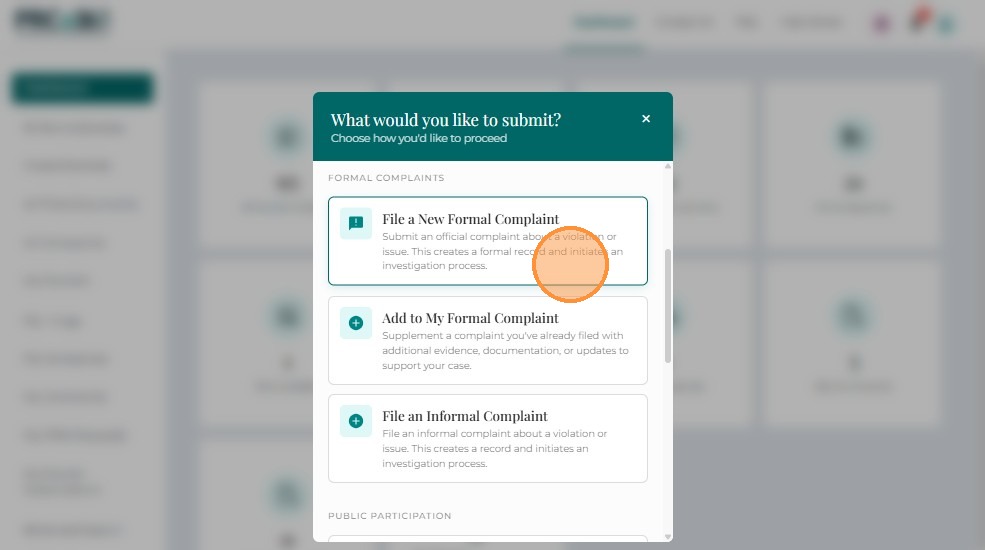
A pop-up window displays the available filing options.
Tier 1 and Tier 2 users will see slightly different options depending on their access level. -
Click Submit a Formal Complaint.
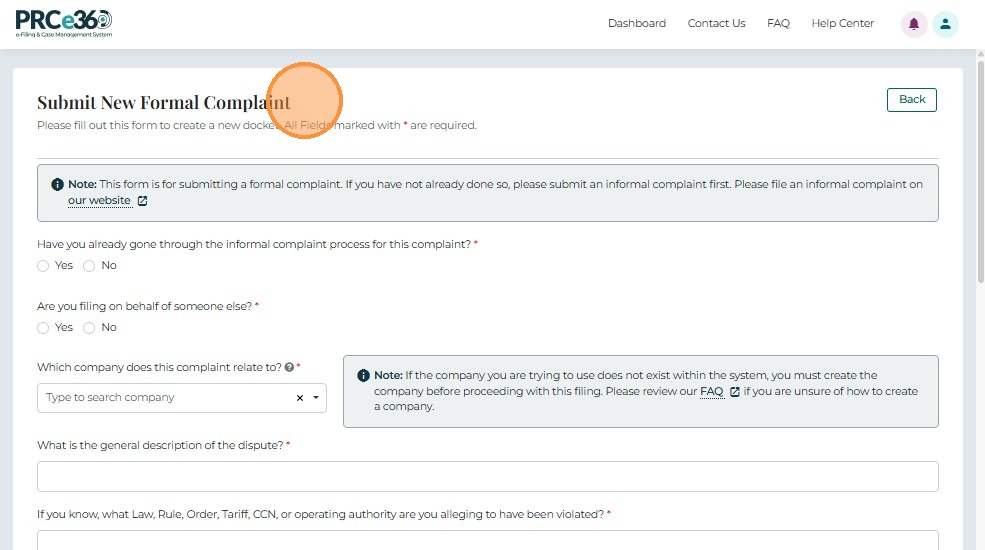
The Formal Complaint Form will open, allowing the user to complete and submit complaint details.
Next Steps
Once you've accessed the formal complaint form, proceed to:
- Completing the Form - Fill out all required complaint details
- Uploading Documents - Attach supporting files (optional but recommended)
- Submitting Your Complaint - Submit your complaint
Related Guides
- Submit a Formal Complaint - Overview - Introduction to formal complaints
- Dashboard Overview - Learn about the dashboard